
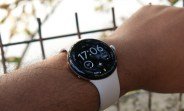
Google has already made it possible to unlock your phone using your Pixel Watch through the Watch Unlock feature. Now, the company is working on a reverse functionality that will let your Pixel phone unlock your Pixel Watch automatically.
How the New Feature Works
Strings of code found in the latest Connected Phone & Watch app reveal a feature called ‘Phone to Watch Unlock.’ Once enabled, this feature will automatically unlock your Pixel Watch whenever your paired Pixel phone is unlocked. This means you can skip entering a PIN or pattern on your watch when your phone is already accessible.
Exclusive to Pixel Ecosystem
As expected, this feature is likely exclusive to the Pixel ecosystem, requiring both a Pixel phone and a Pixel Watch. This tight integration enhances the seamless experience between Google’s devices, making daily interactions smoother.
Benefits of Phone to Watch Unlock
This feature adds a layer of convenience by reducing the number of times you need to authenticate on your watch. For instance, if you’ve just unlocked your phone to check notifications or make a call, your watch will automatically be ready to use without additional steps. This is particularly useful during quick interactions, such as checking the time or responding to a message.
Security Considerations
While this feature simplifies access, it maintains security by relying on the phone’s unlock state. If your phone is locked, the watch remains locked as well. This ensures that unauthorized access to your phone doesn’t automatically grant access to your watch, keeping your data safe.
Comparison with Existing Watch Unlock
The current Watch Unlock feature allows your Pixel Watch to unlock your phone when it’s nearby and unlocked. The new Phone to Watch Unlock feature is essentially the reverse, creating a two-way unlocking system. This symmetry enhances the user experience, especially for those who frequently switch between devices.
Potential Use Cases
Imagine you’re in a meeting and need to quickly glance at your watch for a notification. With Phone to Watch Unlock, you don’t need to fumble with entering a PIN on your watch if your phone is already unlocked. Similarly, when you’re driving and have your phone mounted, your watch will automatically unlock, allowing you to use voice commands or check navigation prompts without distraction.
How to Enable the Feature
Once the feature rolls out, you’ll likely find it in the Connected Phone & Watch app settings. Look for ‘Phone to Watch Unlock’ and toggle it on. Ensure both devices are updated to the latest software versions for compatibility.
Compatibility Requirements
This feature will require a Pixel phone running Android 14 or later and a Pixel Watch running Wear OS 4 or later. Older devices may not support this functionality, so keep your devices updated.
Conclusion
The upcoming Phone to Watch Unlock feature is a welcome addition to the Pixel ecosystem, offering enhanced convenience without compromising security. By allowing your Pixel phone to unlock your Pixel Watch, Google continues to refine the interconnected experience between its devices. Stay tuned for the official rollout, which is expected in a future update.

