
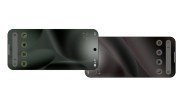
After months of speculation and leaked code snippets, Google has finally made its answer to Apple’s NameDrop official. The feature, called Tap to Share, is rolling out now to a select group of Android devices. The initial wave includes Google’s own Pixel lineup, starting from the Pixel 6 and newer, as well as Samsung’s latest foldable flagships: the Galaxy Z Fold8, Z Fold8 Ultra, and Z Flip8. While the launch is limited to these devices for now, Google has confirmed that broader support is on the horizon, with more Android phones expected to receive the feature “by the end of the year.”
Tap to Share is exactly what it sounds like. You physically tap two compatible phones together, and the magic happens. Whether you want to exchange contact information, send a batch of photos, share a video, or pass along other types of content, a simple tap does the job. No menus, no pairing codes, no complicated setup. It’s a frictionless way to share, designed to feel as natural as a handshake.
How Tap to Share Works: The Mechanics Behind the Magic
At its core, Tap to Share leverages the combination of Near Field Communication (NFC) and Ultra-Wideband (UWB) technology. When you tap two supported devices together, the NFC chip establishes a quick, secure handshake. This initial contact triggers the transfer of data over a faster wireless connection, typically Wi-Fi Direct or Bluetooth, depending on the file size and device capabilities.
The user experience is refreshingly straightforward. You don’t need to open a specific app or navigate to a sharing menu first. Simply unlock your phone, hold it near another compatible device, and a prompt will appear on both screens. You can then choose what to share or accept the incoming content. For contact sharing, the process is even more streamlined—a simple tap can instantly swap digital business cards, including phone numbers, email addresses, and profile photos.
What Can You Share with Tap to Share?
Google hasn’t limited the feature to just one type of content. Here’s a quick breakdown of what you can transfer:
- Contact information – Swap digital business cards with a single tap.
- Photos and videos – Send high-resolution media files without compression.
- Links and text – Share URLs, notes, or any copied text instantly.
- Files and documents – Transfer PDFs, presentations, and other documents.
- App data – In some cases, you can share in-app content like game scores or playlists.
The beauty of Tap to Share is that it works with the existing Android sharing sheet. So, if you can share something through the normal menu, you can likely share it via tap. This deep integration makes it a universal tool rather than a niche feature.
Device Compatibility: Who Gets It First?
As mentioned, the initial rollout is focused on two major families: Google Pixel and Samsung Galaxy. Here’s the full list of supported devices at launch:
- Google Pixel – Pixel 6, Pixel 6 Pro, Pixel 6a, Pixel 7, Pixel 7 Pro, Pixel 7a, Pixel 8, Pixel 8 Pro, Pixel 8a, Pixel 9, Pixel 9 Pro, Pixel 9 Pro XL, and Pixel 9 Pro Fold.
- Samsung Galaxy – Galaxy Z Fold8, Galaxy Z Fold8 Ultra, and Galaxy Z Flip8.
Notably, the Samsung Galaxy S series and other popular Android phones are not included in the first wave. This has led to some speculation about whether Google is prioritizing its own hardware and Samsung’s newest foldables due to their advanced UWB chips. However, Google’s promise of “more devices by the end of the year” suggests that the feature will eventually become a standard Android capability, similar to how Nearby Share (now Quick Share) was rolled out.
Why the Limited Initial Rollout?
There are a few likely reasons for this staged approach. First, Tap to Share relies on precise hardware capabilities. While NFC is common on Android phones, UWB is not. UWB allows for more accurate distance and direction sensing, which makes the tap gesture more reliable. Second, Google may be using this initial launch to gather feedback and iron out any bugs before a wider release. Finally, partnerships with Samsung often involve exclusive features for new devices, and this could be part of a larger collaboration agreement.
Tap to Share vs. Apple’s NameDrop: A Direct Comparison
It’s impossible to talk about Tap to Share without drawing parallels to Apple’s NameDrop, which was introduced with iOS 17. Both features allow users to exchange contact information by bringing their phones close together. However, there are some key differences:
- Ecosystem – NameDrop is exclusive to Apple devices (iPhone and Apple Watch). Tap to Share is designed for Android, but Google’s goal is to make it work across a wide range of manufacturers.
- Content Types – NameDrop is primarily focused on contact sharing, though it can also share a limited set of content. Tap to Share appears to be more versatile, supporting photos, videos, and files from the start.
- Hardware Requirements – NameDrop works on iPhones with just NFC. Tap to Share may require UWB for the best experience, which could limit its availability on budget Android phones.
- Customization – Android’s open nature means Tap to Share can potentially be integrated with third-party apps more deeply than Apple’s closed system.
In practice, the user experience is very similar. You hold your phone near another, a visual animation appears, and you confirm the transfer. But for Android users, Tap to Share represents a long-awaited feature that brings parity with iOS.
How to Use Tap to Share: A Step-by-Step Guide
If you’re lucky enough to own a compatible device, here’s how to start using Tap to Share right away:
- Enable the feature – Go to Settings > Connected devices > Connection preferences > Tap to Share. Make sure the toggle is turned on.
- Unlock your phone – Both devices must be unlocked and have their screens active.
- Select the content – Open the photo, video, or contact you want to share. Alternatively, you can share from the file manager or any app that uses the share sheet.
- Tap the phones together – Hold the back of your phone against the back of the other device. You should feel a vibration and see a visual confirmation.
- Confirm the transfer – On the receiving device, a prompt will appear. Tap “Accept” to receive the content.
For contact sharing, the process is even simpler. Just tap the phones together and a preview of the contact card will appear. You can then choose to share your own info or save the other person’s details.
Troubleshooting Common Issues
If Tap to Share isn’t working, there are a few things you can check:
- NFC is off – Make sure NFC is enabled in your settings.
- Screen is locked – Both devices need to be unlocked.
- Case interference – Thick or metallic phone cases can block the NFC signal. Try removing the case.
- Software updates – Ensure both devices are running the latest Android version.
The Future of Tap to Share: What’s Next?
Google’s announcement is just the beginning. The company has hinted at several future developments:
- Wider device support – Expect Tap to Share to come to more Pixel and Samsung phones, as well as devices from other manufacturers like OnePlus, Xiaomi, and Motorola.
- Integration with Quick Share – Tap to Share could be merged with Quick Share (formerly Nearby Share) to create a unified sharing experience.
- Cross-platform support – There’s speculation that Google might enable Tap to Share to work with other ecosystems, though that seems unlikely in the near term.
- Enhanced features – Future updates could include the ability to share app data, stream media, or even initiate group sharing sessions.
One exciting possibility is the integration with Android’s upcoming “Quick Share” rebranding. If Tap to Share becomes the default sharing method, it could replace the current file-sharing system entirely, making Android more intuitive and competitive with Apple’s ecosystem.
Why This Matters for Android Users
For years, Android users have envied the seamless sharing experience on iPhones. AirDrop and NameDrop have been major selling points for Apple, and Android’s fragmentation has made it difficult to replicate that level of polish. Tap to Share is a significant step toward closing that gap. It’s not just about sharing contacts; it’s about creating a unified, hardware-accelerated sharing standard that works across the entire Android ecosystem.
This launch also highlights Google’s commitment to improving the core Android experience. By partnering with Samsung, Google is ensuring that the feature gets the widest possible reach from day one. And by promising more devices by the end of the year, they’re sending a clear message: Tap to Share is not a niche experiment—it’s the future of Android sharing.
Potential Limitations to Keep in Mind
While Tap to Share is a welcome addition, it’s not without its drawbacks. The reliance on UWB means that budget phones without this chip may not get the feature, or they may have a degraded experience. Additionally, the initial rollout is limited to just a handful of devices, which could frustrate users with older flagships. Finally, the feature is only as good as the apps that support it. If developers don’t integrate Tap to Share into their apps, its utility will be limited.
Despite these limitations, the potential is enormous. Tap to Share could become the standard for Android sharing, making it easier than ever to transfer files, contacts, and more. It’s a clear win for users who value simplicity and speed.
Final Thoughts on Tap to Share
Google’s Tap to Share is a bold move that directly challenges Apple’s dominance in the sharing space. By leveraging the best of NFC and UWB technology, Google has created a feature that is both intuitive and powerful. The initial rollout on Pixel and Samsung’s latest foldables is a smart strategy, ensuring that the feature is showcased on premium devices where it can shine.
As the year progresses, we can expect to see Tap to Share expand to more devices, and perhaps even gain new capabilities. For now, if you have a compatible phone, give it a try. The ability to share content with a simple tap is not just a convenience—it’s a glimpse into the future of how we interact with our devices and each other.

