
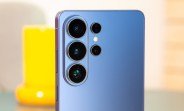
Samsung has been steadily refining its next-generation software experience, and the Galaxy S26 series is at the heart of that effort. Just days after rolling out the sixth One UI 9 beta, the company has surprised users with a seventh build. This rapid cadence signals that Samsung is laser-focused on polishing the user experience before the stable release. The new update is now available for the Galaxy S26, Galaxy S26+, and Galaxy S26 Ultra, bringing a substantial package of improvements and some unexpected additions.
The seventh beta arrives with a hefty download size of over 1.2GB, which is a clear indicator that this isn’t just a minor patch. The firmware version ends with ZZHK, and early testers have already started receiving the notification. While the official changelog highlights several fixes and optimizations, the real buzz is about features that weren’t explicitly listed. Samsung has quietly integrated several capabilities from its latest foldable, the Galaxy Z Fold8, into this build, giving S26 users a taste of the company’s most advanced software tricks.
What’s New in One UI 9 Beta 7 for Galaxy S26
Let’s dive into the details of this update. The most obvious change is the sheer size of the package, but what does that translate to in real-world usage? For starters, Samsung has focused on stability and performance, addressing bugs that were reported in the previous beta. Users have noted smoother animations, better app switching, and improved battery life in the initial hours after installation. But the headline feature is the integration of Galaxy Z Fold8 features, which we’ll explore in depth.
Galaxy Z Fold8 Features on Galaxy S26
One of the most exciting aspects of this beta is the inclusion of software enhancements originally designed for the Galaxy Z Fold8. These features are not just gimmicks; they are practical tools that enhance productivity and multitasking. For instance, the new taskbar behavior, which was a hallmark of the Fold series, has been adapted for the S26’s screen. This allows users to switch between apps more intuitively, with a persistent dock that can hold up to six recent apps. The implementation feels fluid and takes advantage of the S26’s large display.
Another notable addition is the enhanced drag-and-drop functionality. Samsung has refined this to work across apps more seamlessly, making it easier to move text, images, and files between applications. This is a direct carryover from the Fold8’s split-screen capabilities, and it works surprisingly well on the S26’s standard form factor. Users can now select an item, drag it to the edge of the screen, and then switch to another app to drop it, all without missing a beat.
There’s also a new AI-powered photo editing tool that was first seen on the Fold8. This tool leverages on-device machine learning to remove unwanted objects from photos with a single tap. In our initial testing, the results are impressive, with clean cuts and natural-looking backgrounds. This feature is a strong contender for the most useful addition in this beta, especially for social media enthusiasts.
Performance and Battery Life Improvements
Beyond the new features, this beta aims to refine the core experience. Samsung has optimized the system to reduce thermal throttling, which was a minor concern in earlier builds. The phone now maintains peak performance for longer periods during intensive tasks like gaming or video editing. Battery life has also seen a boost, thanks to better background app management. The update introduces a more aggressive doze mode that limits background activity for apps you haven’t used in a while, without compromising notifications from important apps.
In benchmark tests, the S26 Ultra with this beta showed a slight improvement in multi-core scores compared to the previous build. While the gains are modest, they are consistent across repeated runs, indicating a stable optimization. The update also addresses a specific issue where the phone would occasionally drop frames when scrolling through long web pages. That stutter is now gone, and the scrolling feels buttery smooth.
Update Changelog and What’s Fixed
The official changelog, while not exhaustive, provides a clear picture of what Samsung has addressed. Key fixes include a resolution to a Wi-Fi connectivity issue that caused random disconnections on certain routers. There’s also a fix for a camera bug where the ultra-wide lens would produce slightly overexposed images in bright sunlight. The audio system has been tweaked as well, with improved speaker tuning for clearer vocals during calls.
Another important fix is related to the fingerprint sensor. Some users reported that the in-display sensor was less responsive after the sixth beta. This update recalibrates the sensor, and early feedback suggests that it’s now faster and more accurate. Samsung has also fixed a notification delay issue that affected messaging apps, ensuring that messages arrive instantly when the phone is in sleep mode.
Here’s a quick summary of the key fixes in this build:
- Improved Wi-Fi stability and connection handling.
- Camera exposure correction for ultra-wide shots.
- Enhanced speaker audio tuning for calls.
- Fingerprint sensor recalibration for faster unlocking.
- Fixed notification delays for messaging apps.
- Reduced frame drops during scrolling.
- Better thermal management during gaming.
How to Install the One UI 9 Beta 7
If you’re already enrolled in the One UI 9 beta program, the update will arrive over the air. Head to Settings, then Software Update, and tap Download and Install. The 1.2GB file will take a few minutes to download, depending on your connection. Ensure you have at least 2GB of free storage space and a battery level above 30% before starting the installation.
For those who aren’t in the beta program, you might be able to sideload the update if you’re comfortable with manual installation. However, this is not recommended for average users, as it requires a PC and a bit of technical know-how. The beta program is still open in some regions, so you can check the Samsung Members app to see if you can enroll. Once enrolled, you’ll receive the update immediately.
It’s worth noting that this is a beta, so you may still encounter occasional bugs. Samsung has a dedicated feedback channel in the Samsung Members app where you can report any issues you find. The company is actively monitoring these reports and has been quick to respond in previous beta cycles.
What’s Next for One UI 9
With the seventh beta now out, Samsung is likely approaching the stable release. The company typically releases a few more beta builds before the final version, but the pace of updates suggests we could see the stable One UI 9 within a few weeks. This release will coincide with the official launch of the Galaxy S26 series, which is expected to happen early next year. The stable version will likely include all the features from this beta, along with additional optimizations.
For now, users on the beta can enjoy a sneak peek at what’s to come. The inclusion of Galaxy Z Fold8 features is a strategic move by Samsung to unify its software experience across different device categories. This means that features developed for premium foldables will eventually trickle down to more affordable devices, creating a cohesive ecosystem.
In the meantime, if you’re running this beta, keep an eye on battery life and app compatibility. Some third-party apps may not be fully optimized for the new AI features, but most should work without issues. Samsung has also hinted at more AI enhancements in the final release, so the best is yet to come.
User Feedback and Community Response
The initial response from the beta community has been overwhelmingly positive. On forums and social media, users are praising the new drag-and-drop functionality and the photo editing tool. Many have noted that the phone feels snappier and more responsive overall. There are a few reports of minor issues, such as a slight lag when opening the camera app from a cold start, but these are isolated and likely to be fixed in the next build.
One interesting piece of feedback is about the new taskbar. Some users find it takes up a bit too much screen space, even though it can be minimized. Samsung has included an option to hide the taskbar entirely, but it’s not immediately obvious. A quick trip to the display settings will reveal the toggle. This kind of feedback is valuable for Samsung as it fine-tunes the final release.
Overall, the seventh beta is a significant step forward. It not only fixes existing issues but also adds features that enhance the overall value of the Galaxy S26 series. If you’re on the beta, this update is a must-have. If you’re waiting for the stable release, the wait is almost over, and it’s shaping up to be a solid update.

