
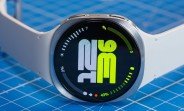
Samsung has officially opened the One UI 9 Watch beta program for its latest Galaxy Watch8 and Galaxy Watch8 Classic models, giving early adopters in South Korea and the United States a chance to experience the next generation of wearable software. This beta release is packed with fresh UI elements, performance enhancements, and a host of new features designed to make your smartwatch more intuitive and powerful. If you’re eager to get a sneak peek at what’s coming to your wrist, here’s everything you need to know about the rollout, firmware versions, and how to join the program.
One UI 9 Watch Beta: What’s New and Improved
The One UI 9 Watch beta is a significant update that goes beyond mere cosmetic changes. It introduces a refined user interface that feels more fluid and responsive, with smoother animations and a more cohesive design language across all apps and watch faces. Samsung has also focused on improving the overall user experience by streamlining navigation and making key features more accessible. The update brings a fresh look to the quick settings panel, notification shade, and app drawer, ensuring that your daily interactions are both efficient and delightful.
Enhanced Health and Fitness Tracking
Health and fitness remain at the core of the Galaxy Watch experience, and One UI 9 Watch takes it up a notch. The beta introduces advanced sleep coaching with more detailed insights into your sleep stages and a new readiness score that helps you plan your day based on your recovery status. Workout tracking has also been upgraded, with new exercise modes and improved GPS accuracy for outdoor activities. Additionally, the update includes enhanced heart rate monitoring algorithms that provide more precise readings during high-intensity intervals and everyday wear.
Revamped Notifications and Quick Responses
Managing notifications on your wrist becomes more seamless with One UI 9 Watch. The notification panel has been redesigned to show more context at a glance, allowing you to see message previews and action buttons without needing to expand each alert. Smart replies have been improved with better contextual suggestions, and you can now customize quick responses to match your personal style. The update also introduces a new notification history feature, so you never miss an important alert even if you dismiss it accidentally.
Firmware Versions and Rollout Details
The beta update is rolling out with different firmware versions depending on your region. In South Korea, the Galaxy Watch8 series receives the One UI 9 Watch beta with firmware version L320XXU2ZZH3/L320OXM2ZZH3. Meanwhile, users in the United States will see firmware version L330XXU2ZZH3/L330OXM2ZZH3. These version numbers are crucial for identifying the correct build and ensuring that your device is compatible with the beta program.
Update Size and Security Patch
The One UI 9 Watch beta update is a substantial download, weighing in at approximately 2GB. This size indicates the depth of changes included, from the new UI to the underlying system optimizations. Along with the new features, the update brings the August 2026 security patch, ensuring that your device is protected against the latest vulnerabilities. Samsung regularly includes the most recent security patches in beta builds to maintain a high level of security for early testers.
How to Enroll in the One UI 9 Watch Beta Program
If you’re in South Korea or the US and own a Galaxy Watch8 or Galaxy Watch8 Classic, you can participate in the beta program. Enrollment is done through the Samsung Members app, which is pre-installed on your smartphone. Here’s a step-by-step guide to get you started:
- Open the Samsung Members app on your paired smartphone.
- Navigate to the ‘Notices’ or ‘Benefits’ section – you’ll see a banner for the One UI 9 Watch beta program.
- Tap on the banner and read the terms and conditions carefully. Make sure you understand that beta software may contain bugs and could affect device performance.
- Click ‘Enroll’ or ‘Register’ to join the program. You may need to sign in with your Samsung account.
- Once enrolled, you’ll receive a notification on your watch when the beta update is available for download. Alternatively, you can check for updates manually by going to Settings > Software Update > Download and Install on your watch.
Remember that beta programs have a limited number of slots, so early enrollment is recommended. Also, ensure that your watch has at least 50% battery and is connected to Wi-Fi before downloading the update to avoid interruptions.
What to Expect After Installing the Beta
Once you’ve installed the One UI 9 Watch beta, you’ll notice a visual overhaul immediately. The new UI features a more vibrant color palette, updated icons, and a cleaner layout. The always-on display has also been enhanced with new watch face styles that provide more information at a glance. The overall performance feels snappier, with faster app launches and smoother transitions between screens.
Battery Life and Performance
Battery life is a common concern with beta software, and Samsung has worked to optimize power consumption in One UI 9 Watch. However, as with any beta, you may experience slightly reduced battery life compared to the stable version. The new power-saving modes are more effective, and the adaptive battery feature learns your usage patterns to extend endurance. If you encounter any unusual battery drain, it’s advisable to report it through the Samsung Members app to help the development team improve the final release.
Known Issues and Feedback
Beta software is not without its quirks. Some users have reported minor issues such as occasional app crashes, delayed notifications, or connectivity hiccups with Bluetooth. Samsung encourages beta testers to provide feedback through the Samsung Members app, where you can submit bug reports and suggestions. This feedback loop is vital for refining the software before the official rollout. The company is known for releasing frequent beta updates to address reported problems, so keep an eye out for new builds.
Comparison with Previous One UI Watch Versions
One UI 9 Watch builds upon the foundation laid by its predecessors, bringing a more mature and polished experience. Compared to One UI 6 Watch (which was based on Wear OS 5), this new version introduces deeper integration with Samsung’s ecosystem, improved cross-device features, and a more customizable interface. The watch face editor has been expanded, allowing you to create truly personalized designs with custom complications and data fields. Additionally, the new version includes better support for third-party watch faces and complications, giving you more choices than ever.
New Gesture Controls and Accessibility
One UI 9 Watch also introduces new gesture controls that make navigating the watch more intuitive. You can now assign custom actions to double-press of the home button or use new swipe gestures to quickly access frequently used apps. Accessibility features have been enhanced, with improved screen reader support and new visual aids for users with low vision. These additions make the Galaxy Watch8 series more inclusive and user-friendly for a wider audience.
Regional Availability and Future Rollout
Currently, the One UI 9 Watch beta is available only in South Korea and the US. Samsung typically expands beta programs to other regions after the initial testing phase, so users in Europe, Asia, and other parts of the world can expect to see the beta in the coming weeks. The stable version of One UI 9 Watch is expected to be released later this year, likely alongside the official launch of the Galaxy Watch8 series in more markets. Keep an eye on Samsung’s official channels for announcements regarding broader availability.
Should You Join the Beta?
Joining the beta program is a great way to get early access to new features and help shape the final product. However, it’s important to consider the risks. Beta software can be unstable, and you may encounter bugs that affect your daily usage. If you rely heavily on your smartwatch for critical tasks or health monitoring, you might want to wait for the stable release. On the other hand, if you’re a tech enthusiast who enjoys exploring new features and providing feedback, the beta program is an exciting opportunity.
Before enrolling, back up your watch data to ensure you can restore it if needed. Also, be aware that downgrading from the beta to the stable version may require a factory reset, which will erase your settings and personal data. Make sure you’re comfortable with these trade-offs before taking the plunge.
Final Thoughts on the One UI 9 Watch Beta
The One UI 9 Watch beta marks another step forward in Samsung’s commitment to delivering a premium smartwatch experience. With its refined design, enhanced health features, and improved performance, the Galaxy Watch8 series is poised to become even more capable. Whether you’re a fitness enthusiast, a busy professional, or a tech lover, this update brings something for everyone. If you’re in a supported region, don’t miss the chance to be among the first to try it out. And for those waiting for the stable release, the wait will be well worth it.

