
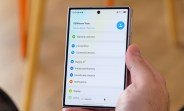
One UI 9 is rolling out with a host of fresh features, and among the most practical additions is the revamped Warranty and care menu tucked inside Settings. This new hub is designed to simplify how you track warranty status and expiration dates across every Samsung device linked to your account. Instead of hunting through paperwork or multiple apps, you now have a single, consolidated dashboard that shows everything at a glance.
The menu is neatly organized. At the top, you’ll see the device you’re currently using, along with its eligibility for enrollment into Samsung Care+—Samsung’s extended protection plan. Below that, a list of all other devices associated with your Samsung account appears, making it easy to check coverage on older phones, tablets, or wearables without switching between different settings panels.
What makes this feature particularly clever is its integration with Bixby. You can simply ask Bixby about your warranty status, and it will pull up the relevant information from this menu, saving you from navigating through multiple screens. This hands-free approach is a welcome addition for those who prefer voice commands over tapping through menus.
How the Warranty and Care Menu Works
The new menu is not just a static list—it’s an interactive tool that gives you actionable insights. When you open Settings and navigate to the Warranty and care section, you’ll find a clean interface that prioritizes the most critical information. The primary device is highlighted with its warranty end date clearly displayed, along with a status indicator that tells you whether the device is still under warranty or if it has expired.
For devices that are nearing expiration, the menu may prompt you to consider extending coverage through Samsung Care+. This proactive approach helps you avoid gaps in protection, which is especially useful for high-value items like the latest foldables.
Tracking Multiple Devices
One of the standout features is the ability to manage all your Samsung devices from one place. If you own a Galaxy phone, a Galaxy Watch, and a Galaxy Tab, you’ll see each one listed with its individual warranty details. This is a massive time-saver for households with multiple Samsung products, as you no longer need to check each device’s settings separately.
The list is automatically populated based on the devices linked to your Samsung account. This means that as long as you’re signed in with the same account, all your devices will appear here, provided they have been set up with that account. If you’ve recently added a new device, it should show up within a few minutes of syncing.
Samsung Care+ Enrollment
For those interested in additional protection, the menu provides a direct link to enroll in Samsung Care+. This service covers accidental damage, mechanical breakdowns, and other issues that aren’t included in the standard warranty. The enrollment process is streamlined—you can check eligibility, view pricing, and sign up without leaving the Settings app.
This integration is particularly beneficial for owners of the new Galaxy Z Fold8, Fold8 Ultra, and Flip8, as these devices are more prone to screen damage due to their foldable nature. Having quick access to Care+ enrollment right from the warranty menu encourages users to protect their investment.
Bixby Integration for Quick Access
Samsung has been pushing Bixby as a central assistant across its ecosystem, and the Warranty and care menu is another example of that. By saying “Hey Bixby, check my warranty,” you’ll be taken directly to the relevant screen or hear a verbal summary of your coverage status. This is especially handy when you’re on the go and need a quick answer without fumbling through menus.
The voice integration doesn’t just stop at viewing—you can also ask Bixby to explain what your warranty covers or to guide you through the process of filing a claim. This makes the entire warranty experience more accessible, especially for less tech-savvy users who might find traditional menus overwhelming.
Why This Matters for Samsung Users
Warranty management has always been a bit of a chore. You might remember buying a device, but keeping track of when the warranty expires is another story. With this new menu, Samsung is removing the guesswork. The consolidated view ensures you never miss a warranty window, and the proactive alerts help you decide whether to renew or extend coverage.
For those who frequently upgrade their devices, this feature is a game-changer. You can easily see which of your older devices are still under warranty, making it easier to sell them with confidence or trade them in for a better value. Knowing the warranty status adds to the resale value, as buyers often look for devices that are still covered.
Compatibility and Availability
The Warranty and care menu is currently available on devices running One UI 9, which includes the newly announced Galaxy Z Fold8, Fold8 Ultra, and Flip8. Samsung has confirmed that the feature will roll out to other devices as they receive the One UI 9 update. This means if you own a Galaxy S24 or S23 series, you can expect to see this menu in a future software update.
The rollout is expected to be staggered, with Samsung prioritizing its latest flagships first. However, the company has a good track record of bringing new features to older devices, so it’s only a matter of time before this becomes a standard part of the One UI experience across the board.
How to Access the Menu
Accessing the Warranty and care menu is straightforward. Here’s a quick step-by-step guide:
- Open the Settings app on your Samsung device.
- Scroll down to the Battery and device care section (or search for “Warranty” in the settings search bar).
- Tap on Warranty and care.
- You’ll see your current device’s warranty info at the top, followed by a list of other devices.
Alternatively, you can use Bixby to jump directly to this screen. Just say “Hey Bixby, open warranty and care” and the assistant will take you there.
Understanding the Information Displayed
Each device entry in the menu shows several key pieces of information:
- Device Name: The model name of your device.
- Warranty Status: Whether the device is under warranty, expired, or nearing expiration.
- Expiration Date: The exact date when the warranty ends.
- Care+ Eligibility: Whether the device qualifies for Samsung Care+ and a link to enroll.
This layout ensures you have all the essential details at a glance, without needing to dig deeper. For devices that are out of warranty, the menu may also provide options to contact Samsung support for repairs, making it a one-stop-shop for device care.
Comparing to Previous One UI Versions
In earlier versions of One UI, warranty information was scattered. You might find it under “About phone” or “Status,” but it wasn’t always easy to locate. The new dedicated menu is a significant improvement, aligning with Samsung’s goal of creating a more intuitive and user-friendly interface.
This change also reflects a broader trend in the tech industry toward transparency and self-service. By giving users direct access to warranty and care options, Samsung is empowering them to take control of their device maintenance, potentially reducing the need for customer support calls.
What About Third-Party Devices?
It’s important to note that this menu only tracks devices that are officially linked to your Samsung account. If you have a device that was purchased from a carrier but not signed in with your Samsung account, it won’t appear here. To ensure all your devices are listed, make sure you’re signed in with the same Samsung account on each device.
For devices that are not linked, you can manually add them by signing in on those devices or by using the Samsung Members app. Once added, they’ll appear in the Warranty and care menu automatically.
Privacy and Security
With all this data in one place, you might wonder about privacy. Samsung has assured users that warranty information is stored securely and is only accessible on the device itself or through your authenticated Samsung account. The data is not shared with third parties, and you have full control over what is displayed.
The menu also respects your privacy by not displaying any sensitive personal information—only device-specific details like model numbers and warranty dates. This means even if someone else picks up your phone, they won’t see your purchase history or personal data.
Future Enhancements
While the current version of the Warranty and care menu is already quite comprehensive, Samsung is likely to expand it in future updates. Potential enhancements could include:
- Repair history: A log of past repairs and service requests.
- Trade-in values: Real-time estimates for trading in your device.
- Extended warranty offers: Personalized offers based on your device’s age and condition.
These additions would make the menu even more valuable, turning it into a full-fledged device management hub.
Final Thoughts
The new Warranty and care menu in One UI 9 is a thoughtful addition that addresses a common pain point for smartphone users. By consolidating warranty information and making it easily accessible, Samsung is enhancing the overall user experience. Whether you’re a tech enthusiast who owns multiple Galaxy devices or a casual user with a single phone, this feature is bound to be useful.
As One UI 9 continues to roll out, we’ll likely see more devices gain access to this menu. If you’re using one of the new foldables, you can start exploring it right away. For others, keep an eye on your software updates—this is one feature you’ll want to have.

